Key Issues
External Directory Issues:
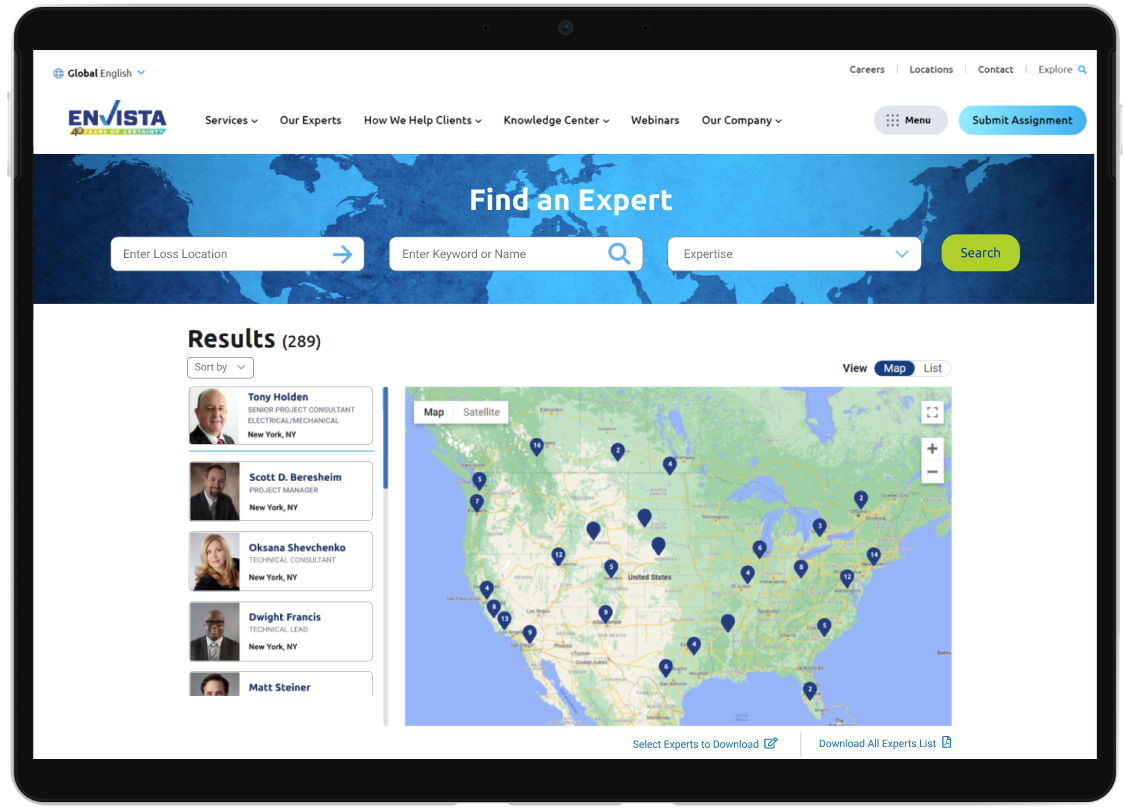
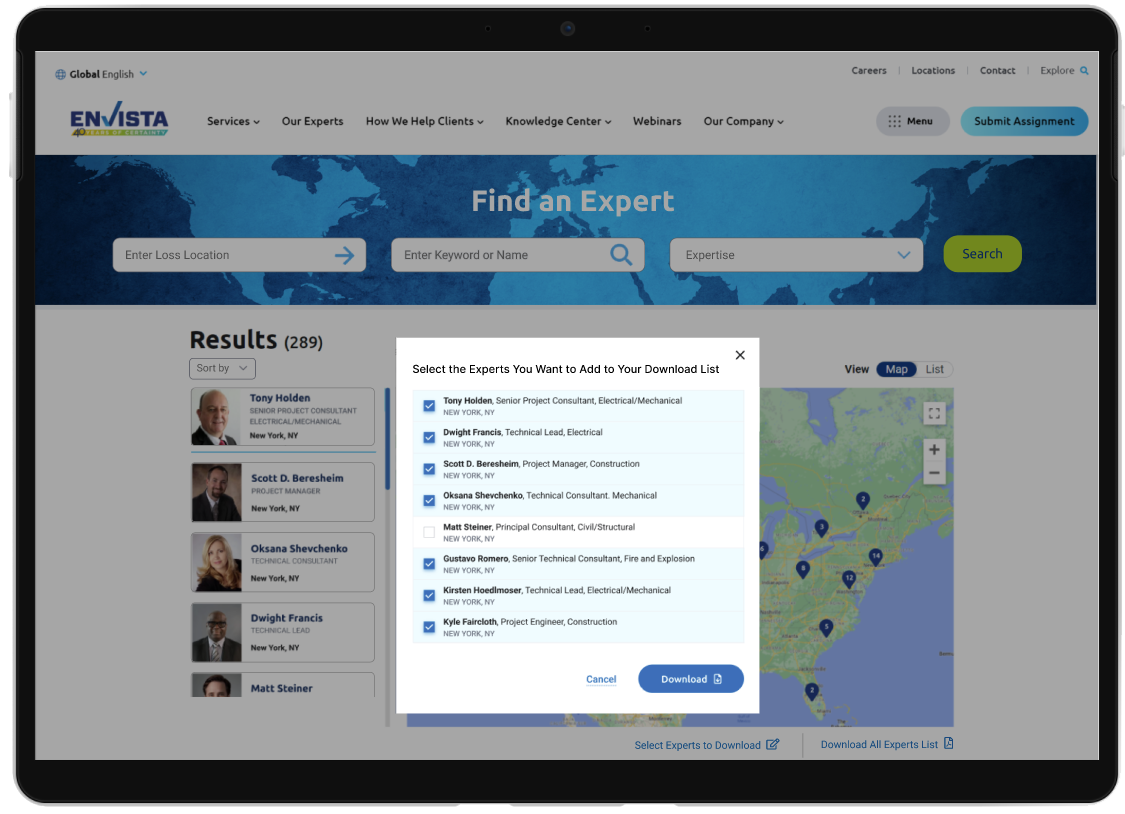
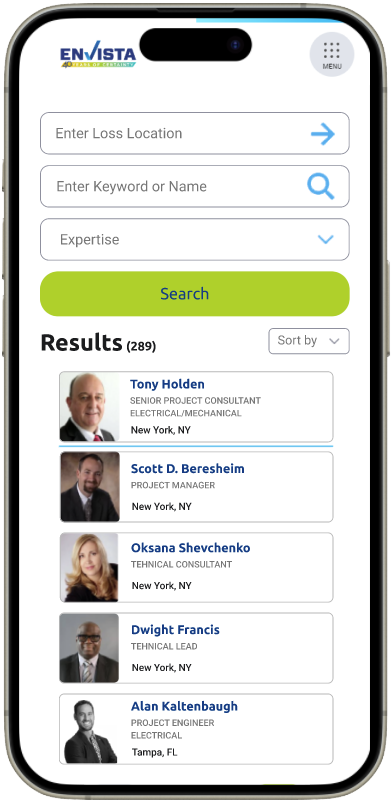
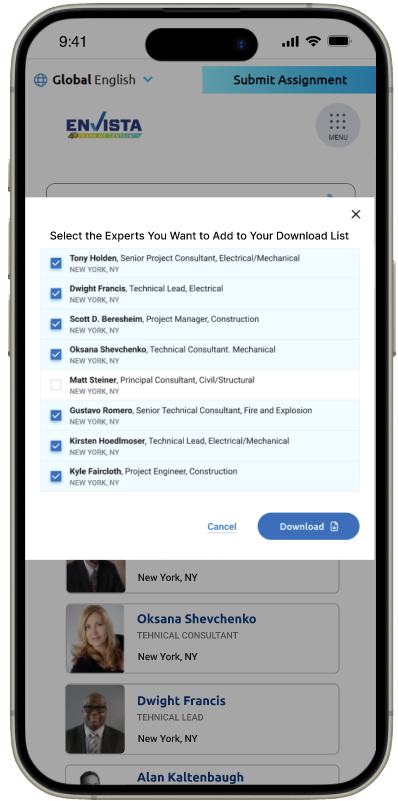
Single keyword search plus generic service dropdown returned small, paged lists with no geographic context.Users couldn’t bulk‑export contacts or see experts on a map, leading to wasted time paging through results.Mobile experience was poor, tiny inputs and horizontal scrolling.
Internal Sales Needs:
Sales reps manually compiled Excel sheets and PowerPoints to showcase expert coverage by territory, which was time‑consuming and error‑prone. No standardized templates for region maps, discipline breakdowns, or org charts. Inconsistent expert data (missing photos, certifications) made collateral look unpolished.
Research & Insights
Stakeholder Interviews & Analytics
Stakeholder Interviews & Analytics
Business need: Accelerate expert assignments externally and streamline sales collateral creation internally.
External analytics: 70% bounce rate within 15 seconds; average session < 30 seconds.
Support tickets: “Who’s closest to me?” and “Can I download all results?” came up daily.
Internal interviews: Sales and operations teams spent 2–3 hours weekly assembling sell sheets; they wanted PDF exports and auto‑generated org charts.
Competitive & Comparative Review
External: Peer forensics and legal expert sites combined map + list views, location autocomplete, and filter chips.
Internal: Leading consultancies provide intranet tools that auto‑generate region‑based PDF reports with maps and team hierarchies.
User Interviews
Persona A – Claims Adjuster: Needs to dispatch an expert within a 2‑hour radius.
Persona B – Litigator: Searches by specialty and expert name.
Persona C – Sales Rep: Creates client sell sheets featuring regional experts, certifications, and org charts.
Pain points: Typing full city names; guessing service categories; flipping through pages; no bulk export; manual PDF creation.
Design Process:
User Flows & Information Architecture
External “Find & Contact Expert” flow:
Specify loss location (geo‑priority)Filter by specialty or name. Choose expert (list or map) Download or contact
Internal “Generate Sell Sheet” flow:
Select territory or office. Choose disciplines, languages, certifications. Preview map and org chart (RD → RTL → Expert)Export to PDF template (with optional photos)
Wireframes & Sketches
Improvements
- Introduce advanced filters (years of experience, certifications) externally.
- Personalize “Recent Searches” and “Suggested Experts.”
- Live updates and automate periodic sell‑sheet distribution.
Reflection
This project reinforced the value of aligning IA and inputs with user mental models, “Where is the loss? What expertise is needed? Who is closest?”, while also recognizing that internal stakeholders have distinct needs around collateral creation. By evolving a static list into an interactive directory and a dynamic PDF generator, we delivered two complementary tools that drive both user engagement and business efficiency.

.png)